
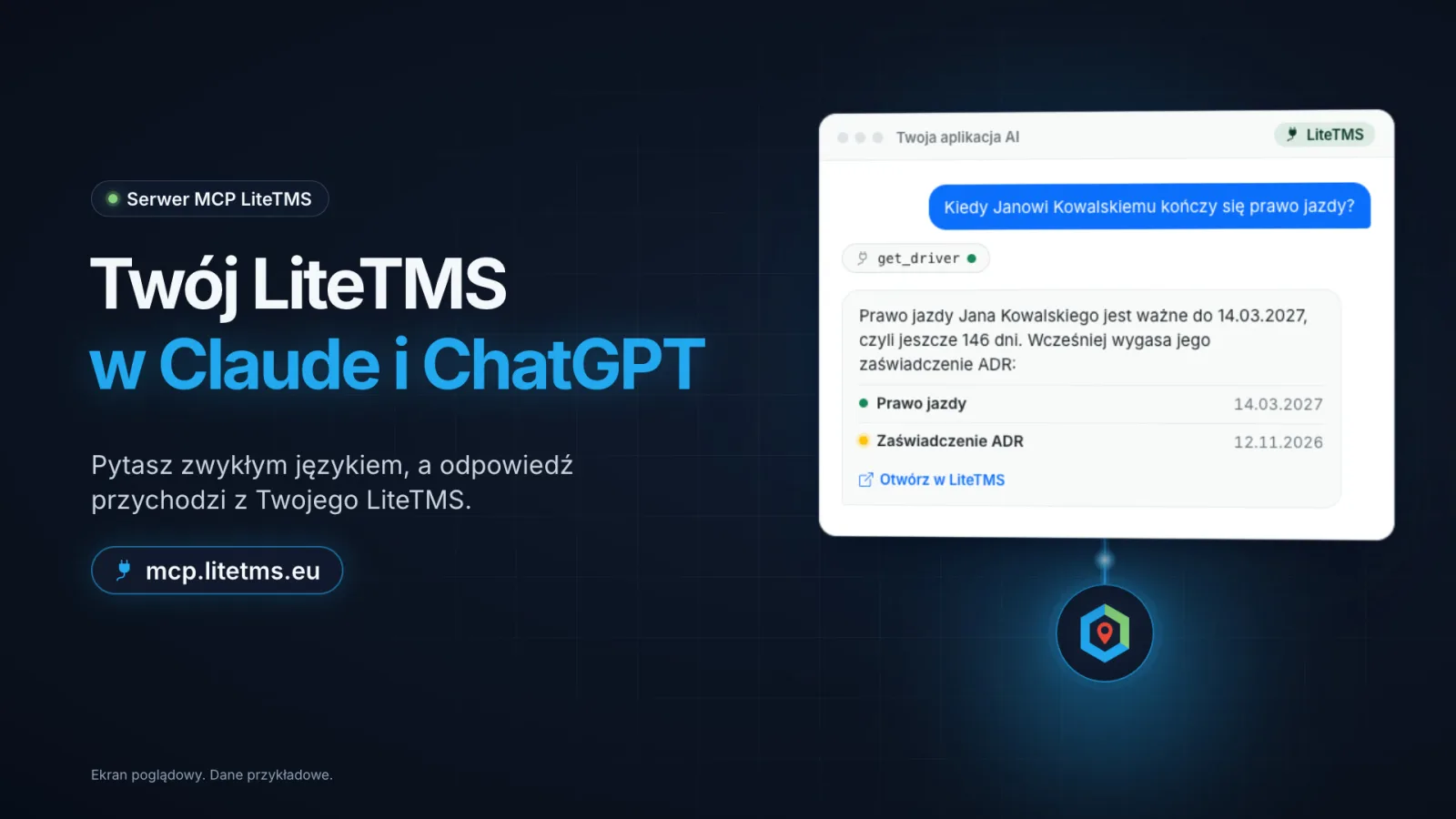
LiteTMS now runs its own MCP server, so Claude, ChatGPT and other AI apps can work with the data in your LiteTMS. You ask in plain language, for example "when does Jan Kowalski's driving licence expire?", and the answer comes straight from the system. The app can also add, move or delete your own reminders. Everyone connects their own account, the app sees only what their role allows, and the module costs nothing extra.
The narration in the video is in Polish.
What an MCP server is, and why it matters to a transport company
MCP (Model Context Protocol) is an open standard that lets an AI app use the tools of another system. The LiteTMS MCP server lives at https://mcp.litetms.eu/mcp and gives AI apps a set of LiteTMS tools, always on behalf of the person who signed in.
In day-to-day terms: you no longer open the employee list and click through records to check when a driver's ADR certificate runs out. You ask in the app you already use every day, it checks LiteTMS, and it answers with the actual date. The answer can also carry a link that opens that person in LiteTMS.
What you can ask today
Today the connection covers drivers, other employees and your reminders:
- Drivers and employees. Who is active, which vehicle and trailer they use, how to reach them.
- Documents and dates. Which documents a person has and when they expire, whether they hold an ADR approval and for which classes, which languages they speak.
- Your reminders. What is coming up, and adding, changing or deleting a reminder.
The module's page in LiteTMS offers questions like these, filled in with a real person from your company so you can paste them as they are:
List our active drivers and the vehicle each one uses.
Which documents does Jan Kowalski have, and when do they expire?
Does Anna Nowak have ADR, and which languages do they speak?
A reminder the AI writes into LiteTMS
An example shows it best. The AI app tells you that a driver's ADR certificate expires in 24 days. You reply: "Remind me on Friday at 9:00 to renew Jan's ADR." The reminder appears in LiteTMS under Reminders, exactly like one added by hand. By default only you see it, unless you ask for the whole company to see it.
Tools that change data are marked "Changes data" on the module's page and never go beyond your role. Everything else the app only reads.
Your account, your permissions
Each person connects their own LiteTMS account. You sign in on the LiteTMS page in your browser, as usual, with the second step if you use one. You never paste an API key into the app, and your password stays with LiteTMS. Before you choose Allow, LiteTMS shows what the app will be able to see and change.
The app sees what you see. Your role, permissions and branches apply to every answer, so two people can get different answers to the same question. Your company's audit log records each connection and each tool call.
What you ask goes to the AI app you connected and is handled under that provider's terms. LiteTMS receives only what the app sends to look something up or save a reminder, not your conversation. You can end the connection at any time in Settings, under Connected apps. Administrators see every connection in the company on the module's page and can end any of them.
How to connect Claude, ChatGPT or another app
- An administrator turns on the "ChatGPT, Claude & MCP" module in the Marketplace, or with one click the first time they connect an app themselves.
- Each person adds the server address
https://mcp.litetms.eu/mcpin their app. In Claude, open Connectors and choose Add custom connector. In the ChatGPT desktop app, open Settings, then MCP servers, and choose Add server. Claude Code and Codex connect from the terminal, Cursor and VS Code with one click. - LiteTMS opens in your browser. Enter your company's LiteTMS address, sign in and choose Allow. Back in your app, you can start asking.
A connector added in Claude on the web or on the desktop also works in the Claude mobile app. The exact steps for every app are on mcp.litetms.eu and on the module's page in LiteTMS. If you work with an AI agent, copy the setup prompt from there and the agent connects itself; you still sign in yourself.
What it costs
The "ChatGPT, Claude & MCP" module is included in LiteTMS at no extra charge, and using its tools through the connection is not billed. Your AI app itself is paid to its provider under your own plan, and it may need a plan that allows custom connectors.
This is only the beginning
Drivers, documents and reminders are the first areas we connected. More areas of LiteTMS are on the way. We add them step by step, each one once it is useful and safe, and every new tool appears in the "What you can ask" list on the module's page. For the other places where AI already works in LiteTMS, read AI in LiteTMS: six features and what comes next.
Questions people ask
- What is the LiteTMS MCP server?
- It is the server at https://mcp.litetms.eu/mcp through which Claude, ChatGPT and other AI apps use LiteTMS tools on behalf of the person who signed in. It runs on the open MCP (Model Context Protocol) standard.
- Will ChatGPT or Claude see all of my company's data?
- No. The app sees only what the person who connected it can see in LiteTMS, with the same role, permissions and branches. Today the connection covers drivers, employees and that person's reminders.
- Can the AI app change anything in LiteTMS?
- Yes, where it has a tool for it, for example in your reminders: it adds, moves or deletes a reminder on your behalf. It never goes beyond your role, and the company's audit log records every change.
- How much does it cost to connect LiteTMS to Claude or ChatGPT?
- The "ChatGPT, Claude & MCP" module is included in LiteTMS at no extra charge. Your AI app is paid to its provider under your own plan.
- How do I disconnect an AI app from LiteTMS?
- In LiteTMS, open Settings, then Connected apps, and choose Disconnect. An administrator can end any connection of the company on the module's page.
Keep in touch
Make room for better reads.
Choose LiteTMS as a preferred source to find more of our articles on Google.
Choose LiteTMS on GoogleConfirm your choice on Google · Opens in a new tab