
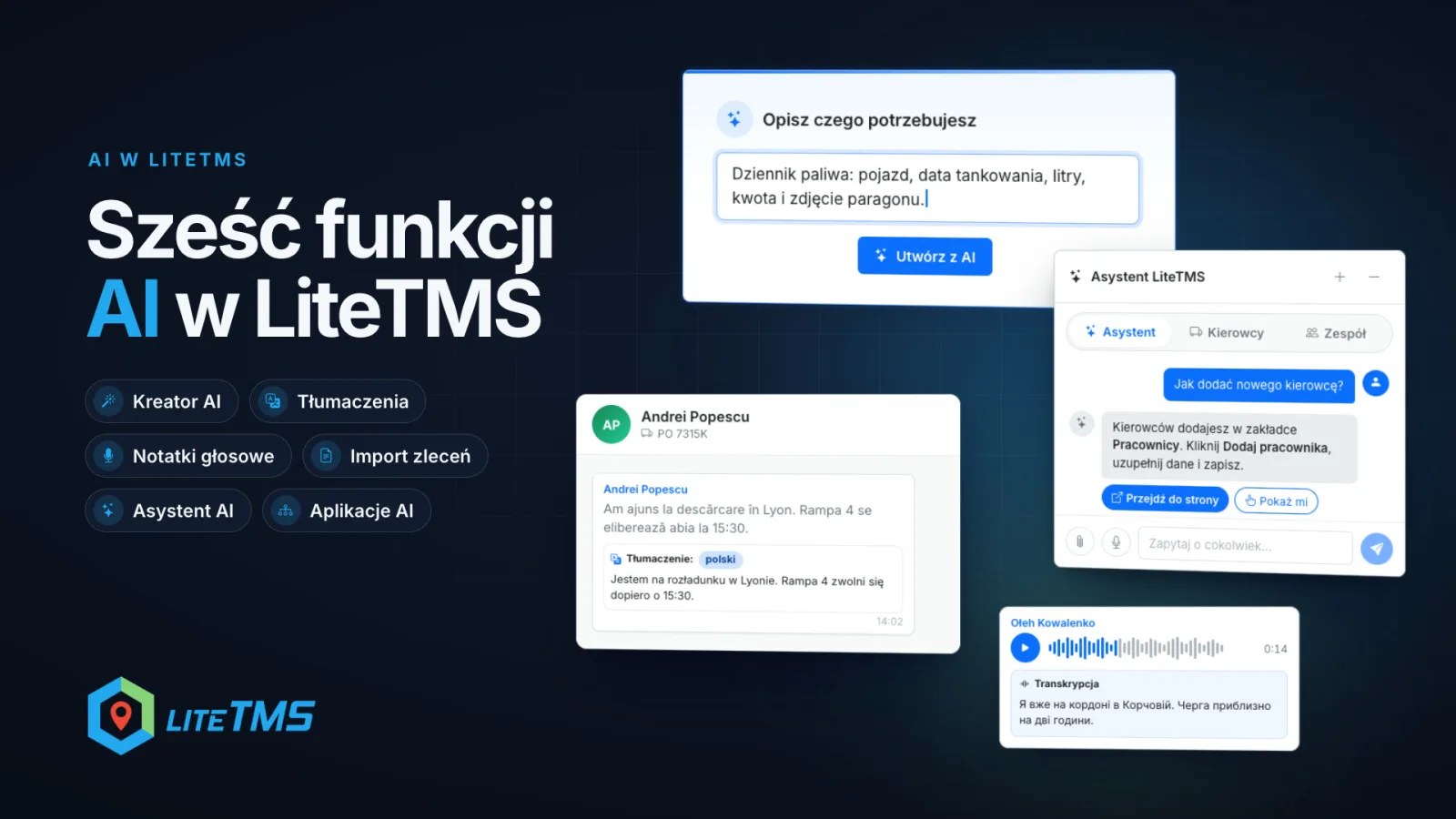
AI works in six places in LiteTMS that a transport team uses every day. The AI builder turns one sentence into your own tab, with a form and a list of entries. The panel and the app run in 41 languages, and the chat translates messages from drivers into the languages you speak. Voice notes become text, an order sent as a file or an email becomes an order draft, the AI assistant answers questions about the system, and you can connect LiteTMS to Claude, ChatGPT and other AI apps. Alongside these, we are finishing our plans for AI agents that will work for your company around the clock.
The film is narrated in Polish.
The AI builder: your own tab from one sentence
Every company keeps a record no software planned for. Fuel stops, equipment handed out, workshop repairs. It usually lives in a spreadsheet because that was quickest. In LiteTMS you describe that record in the module builder (Admin Panel, Custom Modules, the New button) in a single sentence, for example:
Fuel log: vehicle, fuelling date, litres, amount and a photo of the receipt.
After you click "Create with AI", the AI decides whether you need a data module, with a form and a list of entries, or a report module over data you already collect, and it prepares a first version. You review it in the editor in two views, Form and Table. You rename fields, say "Amount" to "Amount (PLN)", add ready-made pick lists such as Vehicle or Driver, and choose the table columns. You never write a line of code.
Once saved, the module appears in the sidebar under Additional modules and behaves like any other tab. Your team adds entries with "Add Entry", browses the list and filters it, and you decide through permissions who can see it.
Two things to know before you start. We are rolling the module builder out gradually. If the panel tells you that creating modules is not available on your account yet, the builder will arrive there soon. Every custom module also has a monthly subscription, and AI generation is billed as AI usage. More examples of records you can build are in our post about the AI Builder.
Translation: 41 interface languages and 184 in the chat
The LiteTMS panel and the LiteTMS Mobile app run in 41 languages. Everyone picks their own language in the switcher, independently of the rest of the company: a forwarder works in Polish while a driver has the app in Ukrainian or Romanian. We write English and Polish ourselves; the other languages are translations prepared by AI and marked as such in the switcher. Details are in 41 languages for the panel and the app.
The chat goes further. A Romanian driver writes in Romanian and the dispatcher reads it in Polish. When automatic translation is switched on in the company's chat settings (it is by default), messages are translated into the languages saved in your profile under "Spoken languages". The translation appears under the original with the language name, so you can always check what was actually written. Your own messages are never translated, and a message already in your language does not show a translation.
This works in the driver chat, the team chat and voice note transcripts. The language list has 184 languages, in the panel and in LiteTMS Mobile, so a driver can read your messages in their own language. You can also translate a single message by hand with the Translate button. Chat translation is an AI service billed by usage. We wrote about the office chat in our post on team chat rooms.
Voice notes: the driver talks, the chat writes it down
On the road, recording a message is easier than typing one. A voice note sent in the chat, from LiteTMS Mobile or from the web panel, gets an automatic transcript. It appears under the recording as "Transcript". If the driver speaks a different language from yours, the transcript is translated just like a regular message. The dispatcher no longer has to replay a recording three times over cab noise to catch the unloading time.
A single note can last up to 5 minutes. Check place names, numbers and amounts against the recording, because the transcript is produced by AI. Transcription minutes and translations are billed by usage.
Order import: an order from a file or an email
Customers send orders as PDFs, scans, Word documents or in the body of an email. On the Add order screen you choose "Load order with AI", drop in the document and click "Analyze documents". The AI reads the document, extracts the order details and matches them to your data: the customer, the loading and unloading places, the cargo and, when the document names them, the vehicle and the driver.
The result is a draft, not a finished order. You review it on the Overview and Route tabs, correct what needs correcting, and only then click "Create order". One import reads up to 8 files. It needs the company's AI features switched on and permission to create orders, and each import is billed as AI usage. There is more in our post on AI order import.
The AI assistant: ask how to do something
The LiteTMS Assistant sits behind the icon in the bottom right corner of every page. You ask in plain words, for example "How do I add a new driver?". The assistant answers from the LiteTMS help articles and suggests an action: "Go to page" opens the right screen, and "Show me" highlights where to click. It answers in the language of your interface. It can also look things up within your permissions: where a vehicle is, which orders have no assignment, or which document deadlines are coming up. You can attach a photo, a PDF or a Word document to your question.
If you are new to the system, start with the "I want to explore the system" tile. Step-by-step guided tours show where to click to add an employee, a vehicle, a trailer or a contractor, or to start an order. A tour highlights the right menu item and leads you to the next step. It runs in your browser without asking the AI model, so it is not billed as AI usage.
The assistant does not know every screen and will not set the system up for you. Its answers are generated by AI, so check important information before you act on it. Assistant conversations are billed as AI usage.
Claude, ChatGPT and other AI apps
You can already connect LiteTMS to Claude, ChatGPT and other AI apps through one MCP server, the standard AI apps use to connect to other systems. The free "ChatGPT, Claude & MCP" module switches the connection on. Each person connects their own LiteTMS account in the browser, without giving the AI app a password, and the app works only within that person's permissions. Changes made through the connection are recorded in the company's audit log.
We are expanding what the connection can do as we go. The AI app itself is paid to its provider, under whatever plan you use.
Where else AI helps
- CMR document check. AI reads a CMR attached to an order and compares it with the order's data. It does not confirm that the document is authentic or legally valid.
- The translator in the driver app. At a loading point the driver types or dictates a sentence and the other person reads the translation on the other half of the screen. See our post on the LiteTMS Mobile translator.
What is next: AI agents that work around the clock
We are finishing our plans for AI agents that will work for your company around the clock, and for further automations. A few examples of what we will be working on:
- An inbox agent. It will go through the mailbox by itself and prepare orders from customers' emails, the way document import does today, only without dropping files in by hand.
- AI for fuel stops. It will point the driver to the most cost-effective fuel stations on the route.
- Automations built from tiles. You will put them together yourself by dragging tiles: what should happen and when. For example, a report with the day's orders that lands in your inbox every morning at 8:00.
Work starts soon. We will describe dates and scope on this blog once there is something to show. Is there a task in your office you would happily hand to an agent like that? Get in touch. Real examples from your work will help us decide where to start.
What the AI features cost
AI services, meaning chat translation, transcription, order import, assistant answers and generation in the builder, are billed by usage. You see the rates and your current usage in the panel before anything reaches an invoice. Custom modules from the builder have a monthly subscription, and the "ChatGPT, Claude & MCP" module is free to switch on. Orders and contractors still carry no per-record fee.
Questions people ask
- Do I need to know how to code to use the AI builder in LiteTMS?
- No. You describe the module in a plain sentence, then review and adjust the AI's proposal in the editor. We are rolling the builder out gradually, so on some accounts it will arrive soon.
- How many languages does LiteTMS support?
- The panel and the LiteTMS Mobile app run in 41 languages, and each person picks their own. The chat translates messages into 184 languages.
- Will LiteTMS create an order from a customer's file by itself?
- AI prepares an order draft from a PDF, a scan, a Word document or an email and matches it to your data. The order is created only after you review the draft and click "Create order".
- Can I connect LiteTMS to ChatGPT or Claude?
- Yes. The free "ChatGPT, Claude & MCP" module connects LiteTMS to Claude, ChatGPT and other AI apps. Each person connects with their own account, and the app works only within their permissions.
- When will AI agents arrive in LiteTMS?
- We are finishing our plans for AI agents that work around the clock, such as an agent that prepares orders from emails, and for further automations. Work starts soon, and we will share dates on the blog.
- How much do the AI features in LiteTMS cost?
- Chat translation, transcription, order import, assistant answers and generation in the builder are billed by usage, and you see the rates in the panel. Custom modules have a monthly subscription.
Keep in touch
Make room for better reads.
Choose LiteTMS as a preferred source to find more of our articles on Google.
Choose LiteTMS on GoogleConfirm your choice on Google · Opens in a new tab