
Update, 25 September 2026: AI order import is out of testing. It is implemented and working in LiteTMS, and you will find it on the Add Order screen. We have updated this article to describe the feature as it works today.
In LiteTMS you can start an order from the transport document itself. You upload the file, LiteTMS reads it, prepares a structured order draft, matches it against data already in your workspace, and shows exactly what still needs attention before the order is created.
The goal is simple: stop making a forwarder type information that is already sitting in a PDF, scan, office document, or email.
Two ways to start without a blank form
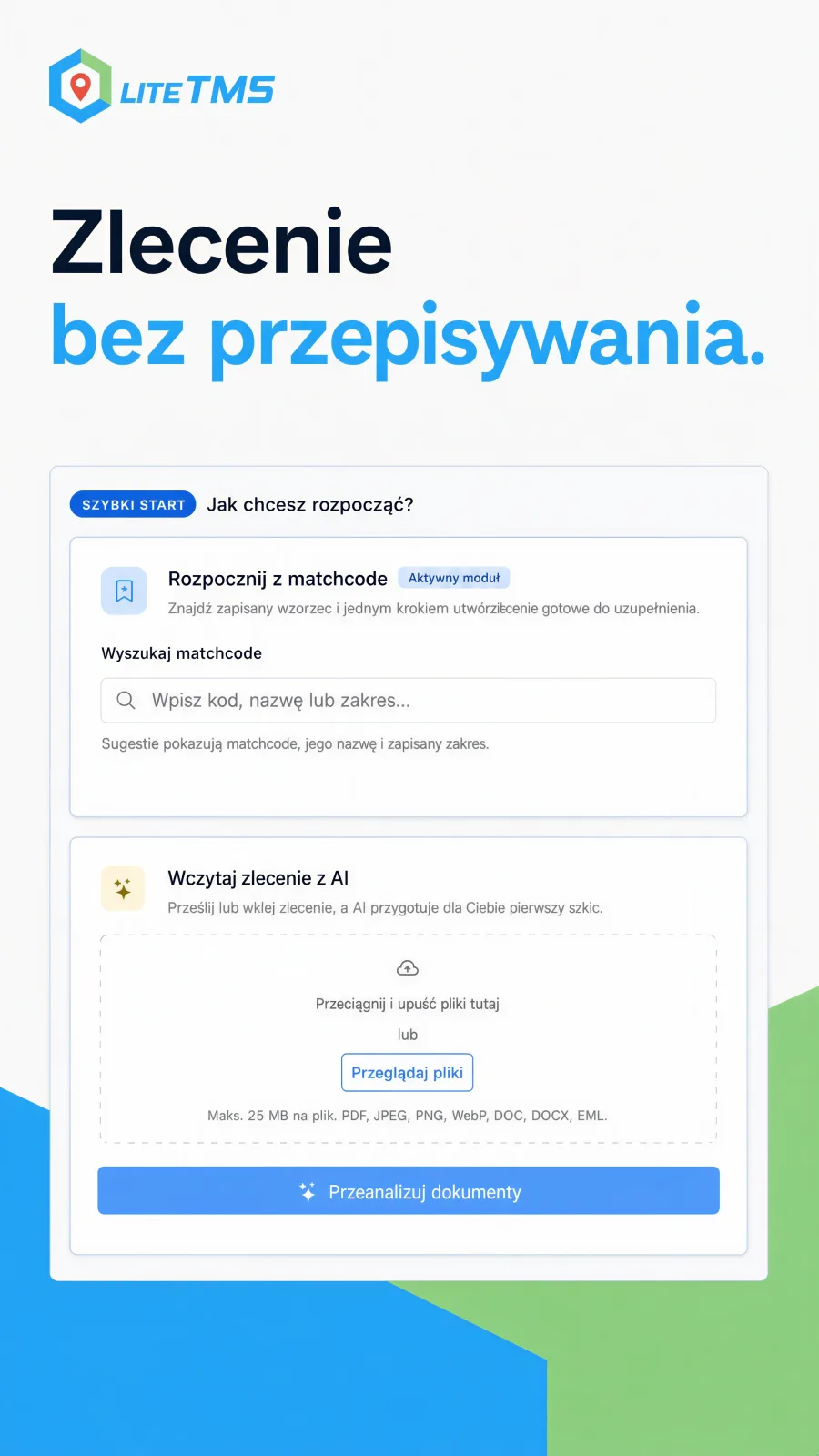
Matchcodes, an optional module, handle repeat work. A forwarder can save a proven order pattern, find it by code or name, and use it as the starting point for the next similar job. The route, crew, documents, geofencing, and finance sections can be included in the saved pattern.
The AI importer tackles a different case. The order arrives from outside the system and its layout belongs to the customer, not to LiteTMS. Instead of building a template for every sender, the forwarder uploads the document and asks LiteTMS to read it.
That gives the order creation screen two practical shortcuts. Use a Matchcode when the work repeats. Use AI when the source is a document that somebody would otherwise have to copy field by field.
What LiteTMS reads and prepares
One import takes up to eight files: PDFs, JPEG, PNG and WebP images, DOC and DOCX files, and EML email files. LiteTMS reads the complete source rather than asking the user to paste selected fragments.
From that material, it prepares one structured transport order. Depending on what the document contains, the draft can include:
- The ordering party and a separate payer.
- Loading and unloading stops, addresses, dates, time windows, references, and contact details.
- Cargo description, weight, quantity, packaging, pallets, loading metres, volume, ADR class, and temperature.
- Vehicle and trailer registrations, driver details, price, currency, VAT, and payment terms.
Missing information stays missing. The extraction rules explicitly tell the model not to guess a tax number, registration plate, price, or any other value that is absent from the source.
The review screen is where the useful work happens
Reading the file is only the first half of the job. LiteTMS then compares the extracted data with records already held by the company.
Contractors can be matched by tax number or company name. Stops are resolved against real places. Vehicle registrations are checked against the fleet register. The review screen separates a firm match from a suggestion and from an item that remains unmatched.
This distinction matters. A system that fills every box confidently can hide expensive mistakes. LiteTMS instead produces a clear working summary: which documents were read, what was extracted, what was matched, what is only a suggestion, and what still needs a manual decision. The screen also says plainly that the draft was generated by AI and should be checked against the source documents.
The forwarder can select another suggested contractor, search for the correct place, correct extracted cargo or finance values, and decide whether to assign a recognised vehicle. Only after that review does the user confirm and create the order through the normal LiteTMS order writer.
Why a person still confirms every order
Documents from transport companies vary wildly. A clean generated PDF, a photographed page, an email thread, and a scan with handwritten notes all present different problems. That is why the review step is part of the process: weak suggestions are marked as suggestions, unmatched items stay visible, and nothing becomes an order until a person confirms it.
Where to find it
To import an order, choose Add Order. The Load order with AI card sits next to Matchcodes: drop the files onto it, choose Analyze documents, then work through the review screen. Anyone who can create orders can use it, as long as AI features are switched on for the company. Reading a document uses AI, so each import counts as AI usage at the rate shown in your billing panel.
Why this changes a forwarder's day
Manual entry steals attention twice. First the forwarder reads the document. Then they read it again while copying names, addresses, dates, references, cargo, and rates into the TMS. The difficult part of the job starts only after the typing is finished.
AI order import moves that attention to the exceptions. The document becomes a draft, the company data is matched where possible, and the forwarder reviews a short list of decisions. Matchcodes do the same for recurring work from the other direction: start with a trusted internal pattern instead of an empty form.
That is the efficiency gain we care about. Less copying. More time for the parts of forwarding that require judgement.
Want to see it on your own paperwork? Contact us and bring a transport order you received recently. We will read it in LiteTMS together and go through what the review screen flags.
Questions people ask
- Can LiteTMS create an order from a PDF or email?
- Yes. The AI importer reads PDFs, images, DOC and DOCX files, and EML email files, up to eight per import, and prepares one structured order draft. The user reviews and confirms that draft before LiteTMS creates the order.
- Does AI create the order without a forwarder checking it?
- No. LiteTMS shows the extracted data, matches, suggestions, and unresolved items first. The forwarder corrects anything necessary and explicitly confirms the order.
- What happens when LiteTMS cannot match a contractor or address?
- The review marks the item as suggested or unmatched instead of pretending the result is certain. The user can choose another candidate, search for the correct record, or add the missing data manually.
- Does AI order import cost extra?
- Reading a document uses AI, so each import counts as AI usage and is charged at the rate shown in your billing panel. The order itself carries no per-record charge.
- How is AI order import different from a Matchcode?
- A Matchcode starts from a saved LiteTMS order pattern and suits recurring work. AI order import starts from an external document and prepares a draft from the information it finds there.
Keep in touch
Make room for better reads.
Choose LiteTMS as a preferred source to find more of our articles on Google.
Choose LiteTMS on GoogleConfirm your choice on Google · Opens in a new tab