
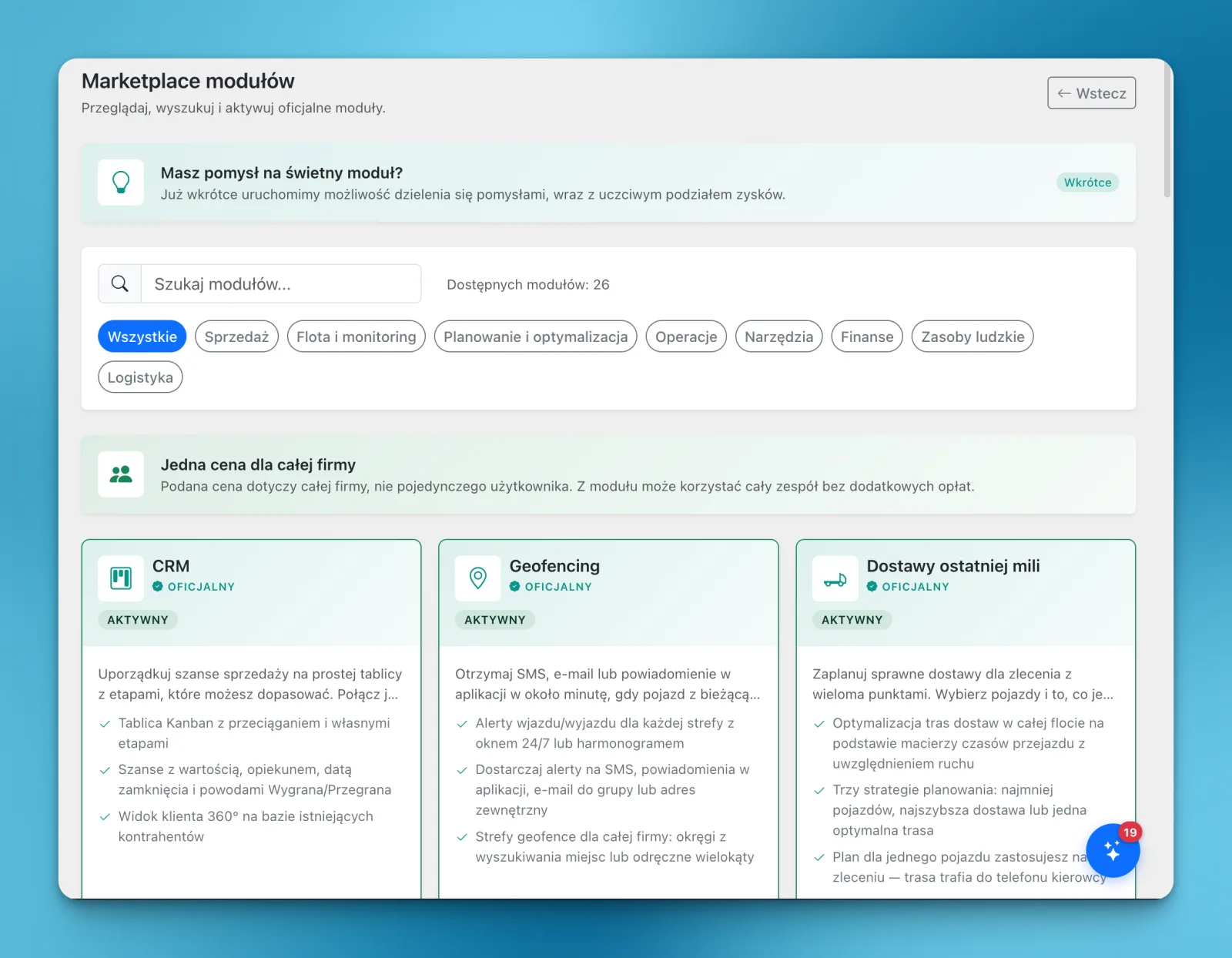
The LiteTMS module marketplace lets you activate the features your company needs, try them in daily work and keep a subscription to the ones that fit. If a module isn't useful, you can cancel its renewal in the panel. Conversations with transport companies guide what we build next, while AI Builder lets you create your own forms and registers.
Company conversations are shaping the catalogue
Talking to transport companies has given us plenty to build. Each business has its own needs, and a conversation about daily work brings out details that a feature description can miss.
Those conversations feed into our native LiteTMS modules. Our team builds them to work within the transport management system. Many are ready to use. Others are being tested, with releases planned soon.
The screenshot shows the module marketplace tab, where you can browse the catalogue and choose what to activate in your workspace. Adding something to the catalogue doesn't mean every company needs to turn it on. You choose what is useful for your team.
Try a module with your own work
A description can help you decide whether a module is worth trying. Using it for actual tasks tells you whether it fits the way your team works.
Activate a module and use its available trial. The panel shows the trial duration and subscription price. If the module earns its place, leave it active: the trial automatically converts to a paid subscription.
If it doesn't fit, cancel the renewal in the panel before the trial ends to avoid starting a paid period. For an already paid subscription, cancellation leaves access in place until the current period ends and stops the next renewal. It does not refund the period that has already started.
You can make that same decision later if your company's needs change. The option to cancel remains in the panel.
Build your own forms with AI Builder
Some requirements come down to the information you need to record and the fields your team needs on a form. An employee expense register, for example, may need to match your company's reimbursement process.
AI Builder gives you a way to handle that yourself. Describe the form or register, review the proposed layout and adjust its fields. You can do this without asking our team to build that module for you.
This covers many everyday record-keeping needs. What you can build depends on the available components and your requirements. AI generation is a metered service, with its rate and usage shown in the panel before invoicing.
Our article on creating custom tabs with AI walks through the editing process. If you already use LiteTMS, open the module marketplace to see which modules would help with your work.
Questions people ask
- Who builds the native modules in the LiteTMS marketplace?
- The LiteTMS team builds the native modules. Conversations with companies guide the catalogue; many modules are ready, and more are being tested before release.
- Does a module trial automatically become a paid subscription?
- Yes. Unless you cancel renewal before the trial ends, it converts to a paid subscription. You can check the trial end date and price in the panel.
- What happens when I cancel a module?
- Cancellation stops the next renewal. Access remains until the trial or current paid period ends, and cancellation does not refund a period that has already started.
- Can I build a module myself?
- Yes. AI Builder lets you create forms and registers from available components and adjust their fields. You can do this without commissioning the LiteTMS team to build the module.
Keep in touch
Make room for better reads.
Choose LiteTMS as a preferred source to find more of our articles on Google.
Choose LiteTMS on GoogleConfirm your choice on Google · Opens in a new tab