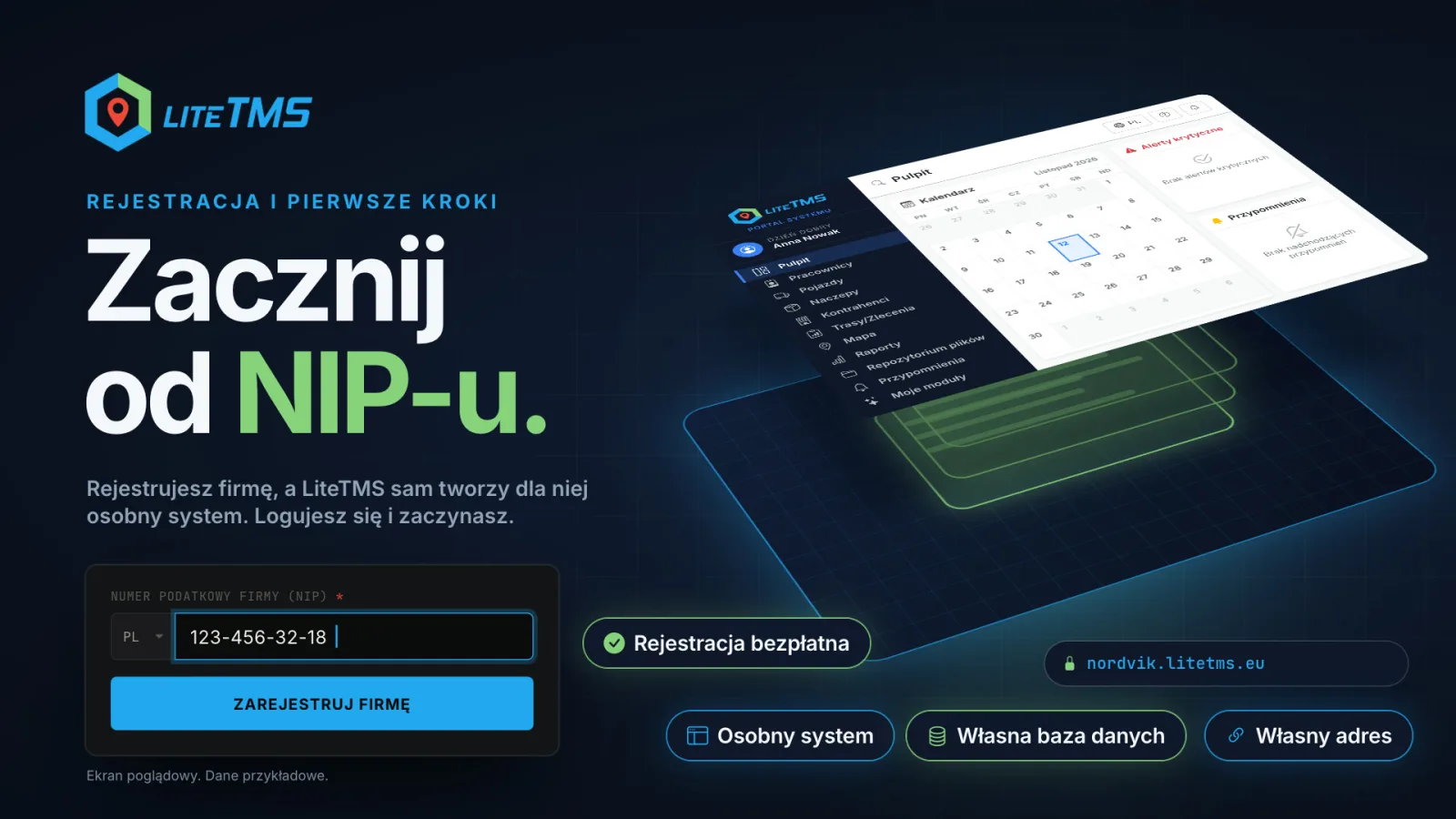
Switching to LiteTMS does not start with weeks of implementation. A company registers with its tax ID on one short form, confirms its e-mail and phone with one code, and LiteTMS creates a separate system for it while the sign-up is still running: its own database, at its own address. You sign in and can begin with a small part of the fleet. How long it takes to move the whole company depends on your data and on the integrations you need.
The film is narrated in Polish.
What the sign-up form asks for
The form opens with a single field: the company's tax ID. For a Polish company that is the NIP, and once the number is complete and valid the form looks the company up in the public registry and fills in its name. Only then do the other fields unfold: an e-mail, a phone number and a subdomain, which is the address your team will sign in at. The form tells you straight away whether that address is free.
Registration is free, and the form has no payment step. After you send it, one 6-digit code arrives by e-mail and by text message. You type it from either message and confirm both contacts at once.
Sign-up is open on the Polish, Romanian, Bulgarian and Croatian pages for companies registered in Poland, Romania, Bulgaria, Croatia and Moldova. Which number each country's form asks for is covered in Which countries can sign up for LiteTMS and which ID you need. Companies from other countries can write to us and we will arrange onboarding in person.
What LiteTMS creates for your company
Once the code is confirmed, the page shows what is happening: your company details are verified, your address is reserved, your company's database is created, modules and settings are configured, and your sign-in details are prepared. Nobody does this by hand, and you do not wait for a slot in someone's implementation calendar.
Every company gets a separate system. That means two things:
- Its own database. Your orders, contractors, vehicles and documents sit in a database you share with no other company.
- Its own address. You sign in at your company's address, for example yourcompany.litetms.eu. Choose it with care, because it cannot be changed later.
The sign-in details arrive by e-mail and by text message: the address of your system, your e-mail and a temporary password. At the first sign-in you set a password of your own.
Start with a part of the fleet
The most common worry about a new system is "we have to move everything at once". You do not. It makes more sense for one person, you or someone from the office, to try LiteTMS on a small slice of real work first:
- Add two vehicles.
- Add two employees.
- Enter your first orders, ideally the kind you handle every day.
A start like that fits within the free limits. On the day this post was published (12 November 2026) the standard price list covered two vehicles, two trailers, two employees and two system users each month, and orders and contractors have no limit and no charge. The current limits are always on the Billing & Usage page. When you see that the system fits the way you work, you add more trucks and people.
While the START promotion is live, a newly registered company pays nothing for users, employees, vehicles and trailers for one full month from its registration day. The promotion can be paused or end for new registrations.
Help that is already inside
On the first sign-in the help window opens with a short film that shows how LiteTMS works. After that there are three kinds of help that need no phone call:
- Films. On many pages and in many modules a film waits beside the title: a guide that walks through the page step by step, or a short overview of a module. More in Video guides in LiteTMS: click play and see how a tab works.
- Guided tours. Under "I want to explore the system" the assistant starts tours that show on the screen where to click to add a vehicle, an employee, a trailer or a contractor, or to begin an order.
- The AI assistant. The chat bubble in the bottom right corner answers questions about the system. Its answers are generated by AI, so check them before you decide. AI use above the monthly limit is billed like other services.
Do you keep your data in spreadsheets? Employees, vehicles, trailers and contractors can be imported from XLSX or CSV files. Moving data from another TMS is a request our team handles. New companies also find a request for free onboarding assistance in the help window.
What it costs and where you see it
You see the costs as they accrue in the admin panel, on the Billing & Usage page: what is counted this month for each resource, whether you are within the limit, an estimate for the whole month and the transaction history. Billing follows usage: you pay for active resources above the free limits (users, employees, vehicles, trailers and branches), for the modules you switch on and for paid services when you use them, such as AI, text messages or selected map services. There are no hidden fees: every rate and your current usage are in the panel. The standard terms set no minimum term.
Before you add anything you can work out the cost for your company: the calculator "What will LiteTMS cost your company?" is on the same page, under the balance. Its result is an estimate for the assumptions you enter, not an offer.
What about GPS
In the settings you pick your GPS provider from the list and enter the access details that provider asks for. LiteTMS checks the connection, and you choose which vehicles and drivers to bring in.
Is your provider not on the list? There is an option for that, "Other GPS provider". If the provider offers an API, we will connect it at no charge.
Once it is connected you see your trucks on the map and in orders: the latest position with its time, the speed, the driver and the estimated arrival on the order. The driver's hours show too, if the provider sends them. The details are in Where are you? The fleet map and Live fleet in LiteTMS.
Where to start today
Have your tax ID, an e-mail and a phone that receives text messages at hand, and think about the address for your company. Then sign up on the page in your language (the Polish one is here), add two trucks and enter one of your typical orders. A test like that tells you more than an hour-long presentation.
Questions people ask
- How long does it take to switch to LiteTMS?
- The system itself is created automatically while you sign up, so you can sign in and start straight away. How long the full move takes depends on how much data you bring over and which integrations you need, which is why it is worth starting with two trucks and a few orders.
- Is registration in LiteTMS free, and do I need a card?
- Registration is free, and the form has no payment step. Orders and contractors have no limit and no charge; for resources above the free limits, modules you switch on and paid services you pay the rates shown in the panel.
- Do I have to move my whole fleet at once?
- No. You can add two vehicles, two employees and your first orders, which on the day this post was published fit within the free limits of the standard price list. You add more trucks and people whenever you want.
- Does my company get its own database?
- Yes. Every company has a separate system in LiteTMS with its own database and its own sign-in address. The address cannot be changed later.
- What if my GPS provider is not on the list?
- Choose "Other GPS provider" and enter its details. If the provider offers an API, we will connect it at no charge.
Keep in touch
Make room for better reads.
Choose LiteTMS as a preferred source to find more of our articles on Google.
Choose LiteTMS on GoogleConfirm your choice on Google · Opens in a new tab