
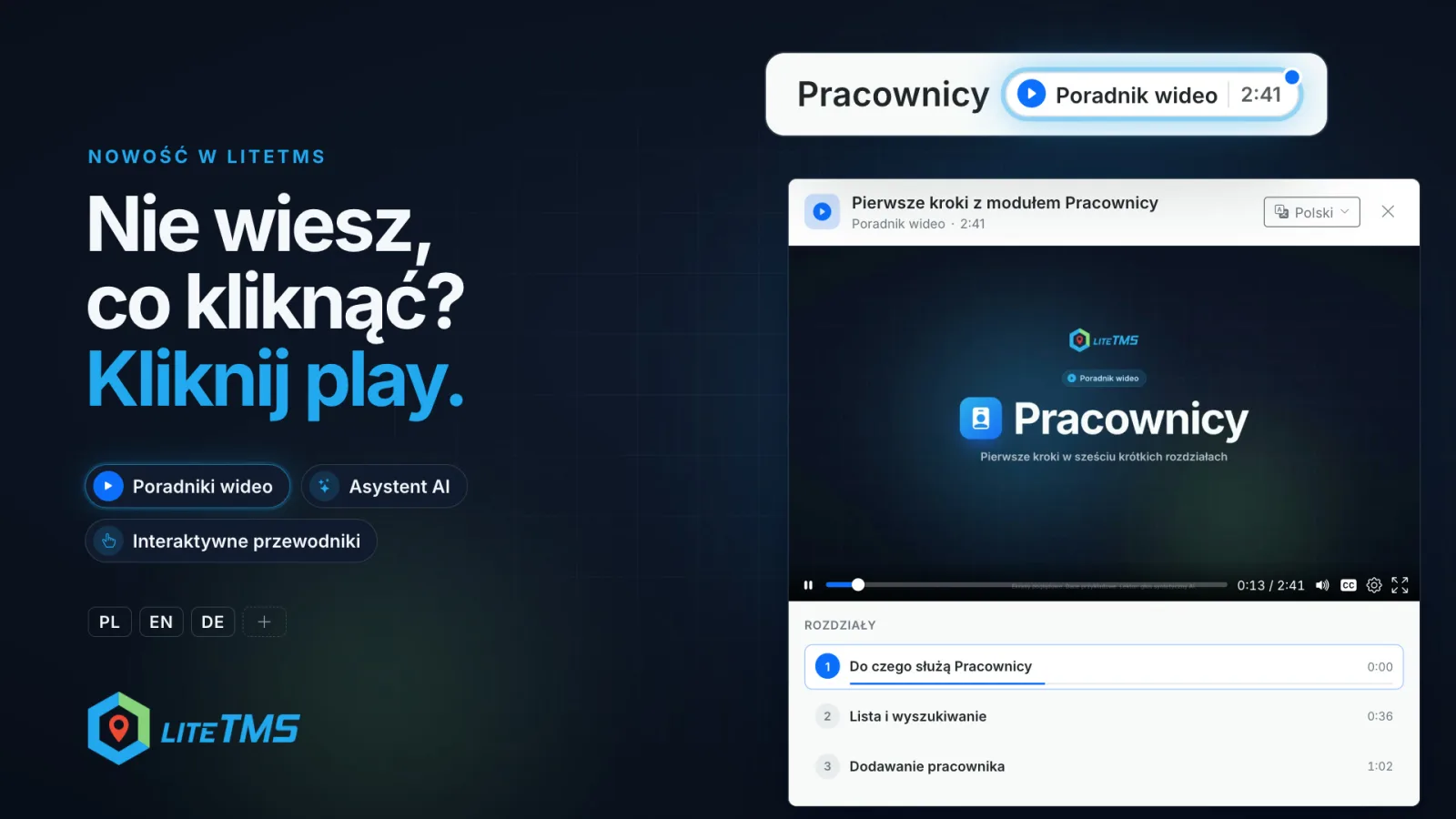
LiteTMS now has video guides. A "Video guide" button with the film's length sits beside a tab's title, and one click opens a short film about what the tab is for and how to find your way around it. The Employees tab has the first guide, and the Help window has a quick tour of the whole system. The films are in Polish, English and German. In time every tab will get its own guide, and more languages will follow.
A button beside the title, the film in one window
On the Employees page, right next to the heading, you will find the "Video guide 2:47" button. The blue dot in its corner disappears once you have watched the film, so you can see at a glance what is new to you.
The film opens in a window on the same page, so you never leave what you were doing. Beside it (below it on a smaller screen) is the chapter list with the start time of each chapter. Click a chapter and the film jumps straight there, so finding one thing never means watching the whole film. Captions are on from the start, and the player's settings let you change the speed. Close the window halfway through and, in the same browser, the film picks up where you stopped the next time you open it.
Under the chapter list there is one more button: the interactive guide, for example "How do I add an employee?". After the film you can walk through the same steps on the page you work on, with each place to click highlighted in turn.
Employees in six chapters
The first guide walks through the Employees tab. The English version runs 2:47 and has six chapters:
- What Employees does
- The list and search
- Add an employee
- Profile and documents
- Mobile app and vehicle
- In everyday work
The first chapter answers what everyone wants to know on day one: what is here, what you can do with it and what you get out of it. The next ones show each task on the screens you know from the panel. The last one is a single situation from a transport company's day, solved from start to finish: a driver asks for the PIN to a fuel card.
A quick tour of LiteTMS in the Help window
Not every film is about one tab. Behind the question mark in the top bar is the "Help & quick start" window, and at its top the "See how LiteTMS works" card. It opens a short tour of the whole system: the calendar, the menu, search, the assistant, chat and the admin panel in one film (the English version runs about two minutes). It is a good start for your first day with LiteTMS and for every new person on the team.
In Polish, English and German
Every guide has a Polish, an English and a German version, each with its own narrator and captions in that language. The player starts with your interface language, and the "Video language" menu at the top of the window switches to another version. If your interface language has no version of the film yet, the player says so and plays another one. More languages are on the way.
Three ways to help when you are not sure
Video guides join two kinds of help LiteTMS already has. Each works differently, so you pick the one that suits the moment.
- The AI assistant points you to the right place. Its icon sits in the bottom right corner of the page. Ask in plain words, for example "How do I add a new driver?", and the assistant answers with a button to the right page. If that page has a video guide, the answer also offers "Watch the video guide". Assistant answers are billed as AI usage. Read more about the assistant in our post on AI features in LiteTMS.
- An interactive guide highlights where to click. The "I want to explore the system" tile in the assistant lists the video guides and the step-by-step guides. A guide dims the page and highlights, in turn, the menu item, the add button and the form. It runs in your browser without asking an AI model, so it is not billed as AI usage.
- A video guide shows the whole picture. Use the button beside a tab's title, or the tour in the Help window, when you want to see a tab from start to finish.
And if you would rather talk to a person, the same Help window has a way to reach our team.
What comes next
We started with Employees and the system tour. More tabs will get their guides step by step, until in time every tab has one, and the list of film languages will keep growing. New guides will appear in the same places: beside the tab's title, in the "I want to explore the system" tile and in the assistant's answers. Every kind of help is also listed on the LiteTMS features page.
Questions people ask
- Where do I find a video guide in LiteTMS?
- Beside a tab's title, on the "Video guide" button that shows the film's length; today the Employees tab has one. The tour of the whole system is in the Help window behind the question mark in the top bar, and both films are also in the "I want to explore the system" tile of the AI assistant.
- Which languages are the video guides in?
- Polish, English and German, with captions in each of them. The player starts with your interface language, and the "Video language" menu at the top of the window switches versions. More languages will follow over time.
- Do I have to watch the whole film?
- No. The chapter list beside the film takes you straight to the part you need, and a film you close halfway through picks up in the same place the next time you open it.
- Does every tab already have a video guide?
- Not yet. We started with the Employees tab and the system tour in the Help window, and more tabs will get their guides step by step.
Keep in touch
Make room for better reads.
Choose LiteTMS as a preferred source to find more of our articles on Google.
Choose LiteTMS on GoogleConfirm your choice on Google · Opens in a new tab