
A transport company gets easier to run when four registers are in order: employees, vehicles, trailers, and contractors. Give each subject a clear home and dispatch stops rebuilding simple answers from a spreadsheet, a document folder, and the memory of whoever has worked there longest.
One order begins with four questions
The load is ready, the route has been priced, and the slot is confirmed. Before the truck leaves, someone still needs four ordinary answers.
Can this employee take the job? Their role, documents, qualifications, and current status matter.
Is the vehicle ready? The office needs its technical details, equipment, paperwork, and maintenance history.
Is this the right trailer? Dimensions, weight, equipment, documents, and service dates all affect that answer.
Are the contractor details correct? An order is the wrong place to guess an address, contact person, account number, or working arrangement.
None of those questions is difficult. They become expensive when every answer lives somewhere else.
Most companies already have the information
The problem is rarely that nobody recorded the data. It is that one part lives in a spreadsheet, another in a binder, and the rest in message threads or one person's head.
That arrangement can feel perfectly manageable until somebody is away, a late order arrives, or a document is needed immediately. Then a small question starts a chain of calls. Who has the insurance file? When was that trailer serviced? Which phone number for this subcontractor is current? Does this driver have the paperwork for the route?
The information exists. What is missing is an obvious place to look.
Four registers with four clear jobs
One system does not mean throwing every piece of data into one giant table. Useful order comes from attaching each detail to the person, asset, or company it actually describes.
Employees
An employee record holds the profile, role, documents, qualifications, cooperation details, and status. When dispatch assigns a driver, the first question is no longer who might have their paperwork. The answer starts with the employee record.
This also makes a team less dependent on memory. A new office employee can find the basics without knowing who created a spreadsheet five years ago or which folder naming rule everyone quietly stopped following.
Vehicles
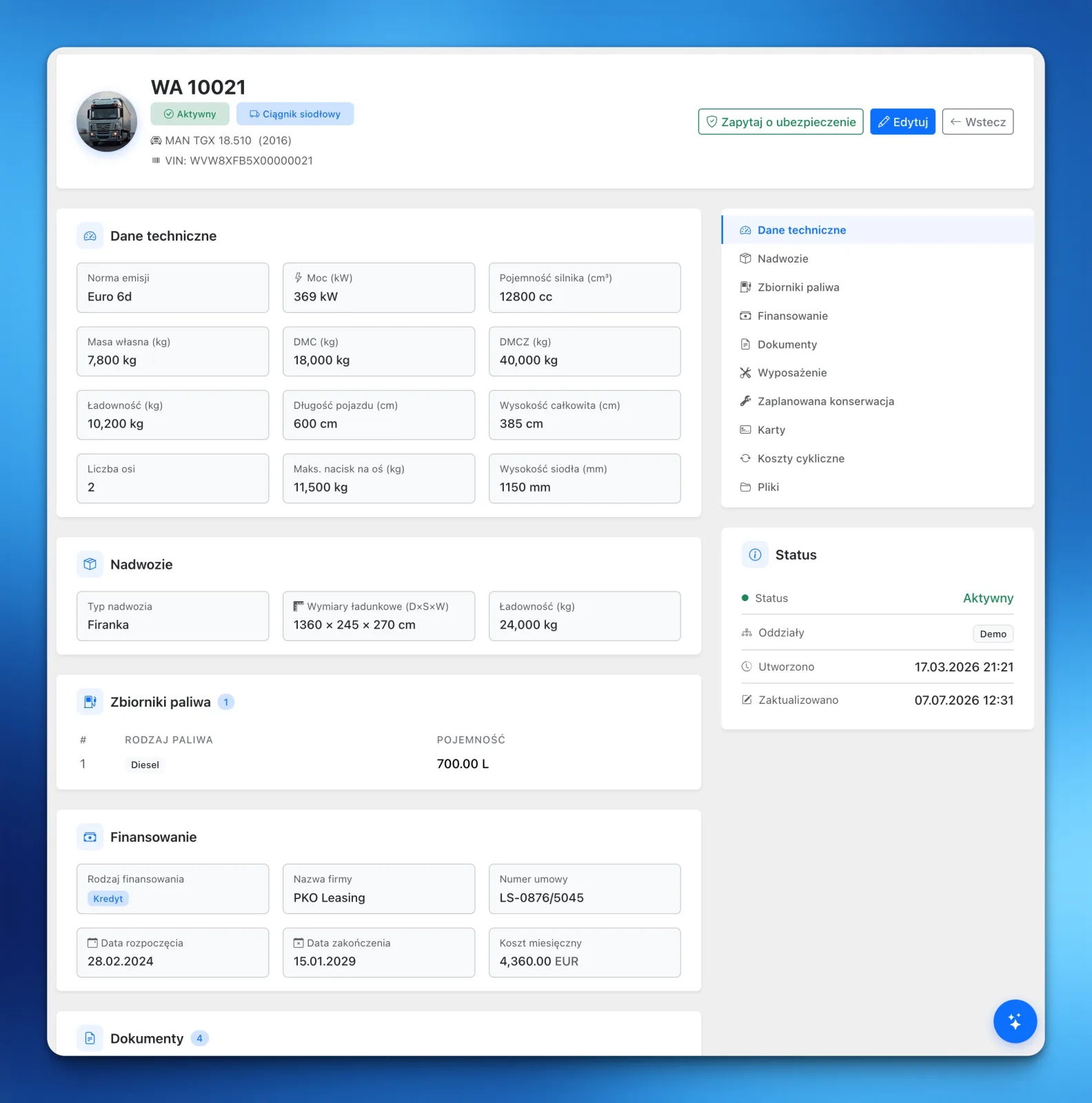
A registration number is not enough to operate a truck responsibly. The office also needs technical specifications, documents, equipment, financing information, fuel tank details, and a record of maintenance.
A vehicle record gives all of that a permanent address. Inspection data and equipment history stay with the truck instead of being split across unrelated files.
Trailers
A trailer is not a footnote to a tractor unit. It has its own dimensions, weights, equipment, documents, maintenance, and purpose. A separate trailer register helps the office choose the right combination before the vehicle reaches the loading bay.
It also keeps history attached to the asset when trailers rotate between trucks. The information follows the trailer, not a combination that existed for one journey.
Contractors
A customer, carrier, or business partner needs more than a name and a phone number. A contractor record brings together company details, contacts, addresses, documents, bank accounts, and defaults used when orders are created.
Contractors are free and unlimited in LiteTMS. You can model the whole working network without deciding which partner deserves to take up a paid record.
What changes on an ordinary Tuesday
The biggest benefit does not appear in a product demo. It appears when somebody asks for a document and gets an answer in thirty seconds.
The team knows where to update a detail. The same fact no longer has three competing versions. A new dispatcher does not need to ask the most experienced person about every vehicle or partner. And an order starts from maintained records instead of retyping the operation from scratch.
Ownership becomes clearer too. A vehicle document belongs to the vehicle. Trailer maintenance belongs to the trailer. The customer's accounts contact belongs to the contractor. The rule is simple enough for a busy team to follow.
Start with today's operation, not ten years of history
You do not need to clean up the company's entire past before a TMS becomes useful. Start with the records doing real work today.
Add active employees, vehicles, and trailers first. Then add the contractors involved in current orders. Fill the fields the team actually relies on instead of transcribing every column from an old archive. Finally, agree on one habit: new information goes straight onto the right record.
For a lower-risk switch, begin with one lane and one dispatcher. Our guide to moving a small carrier from spreadsheets to a TMS explains that sequence in detail.
How LiteTMS handles the four registers
LiteTMS has dedicated areas for employees, vehicles, trailers, and contractors. Each record leads to the information and documents relevant to that person, asset, or company. The registers become the foundation for dispatch rather than a separate archive nobody remembers to open.
LiteTMS is currently in early access. To see how those records work on the real screens, join the early-access waitlist.
Questions people ask
- Which records should I add before the first order in a TMS?
- Start with active employees, vehicles, trailers, and contractors. Those four registers provide the people, equipment, and partner data that everyday dispatch depends on.
- Do I need to migrate the company's entire history?
- No. Begin with active records and the documents needed for current work. Keep old files as a read-only archive and bring information across only when it becomes useful again.
- What belongs on a vehicle or trailer record?
- A vehicle record should hold its technical details, documents, equipment, and maintenance history. A trailer needs its own record for dimensions, weights, paperwork, equipment, and maintenance.
- Does LiteTMS limit the number of contractors?
- No. Contractors and orders are free and unlimited. You pay for the seats and services you use, and paid features show their rate and usage in the panel before anything reaches the bill.
Keep in touch
Make room for better reads.
Choose LiteTMS as a preferred source to find more of our articles on Google.
Choose LiteTMS on GoogleConfirm your choice on Google · Opens in a new tab